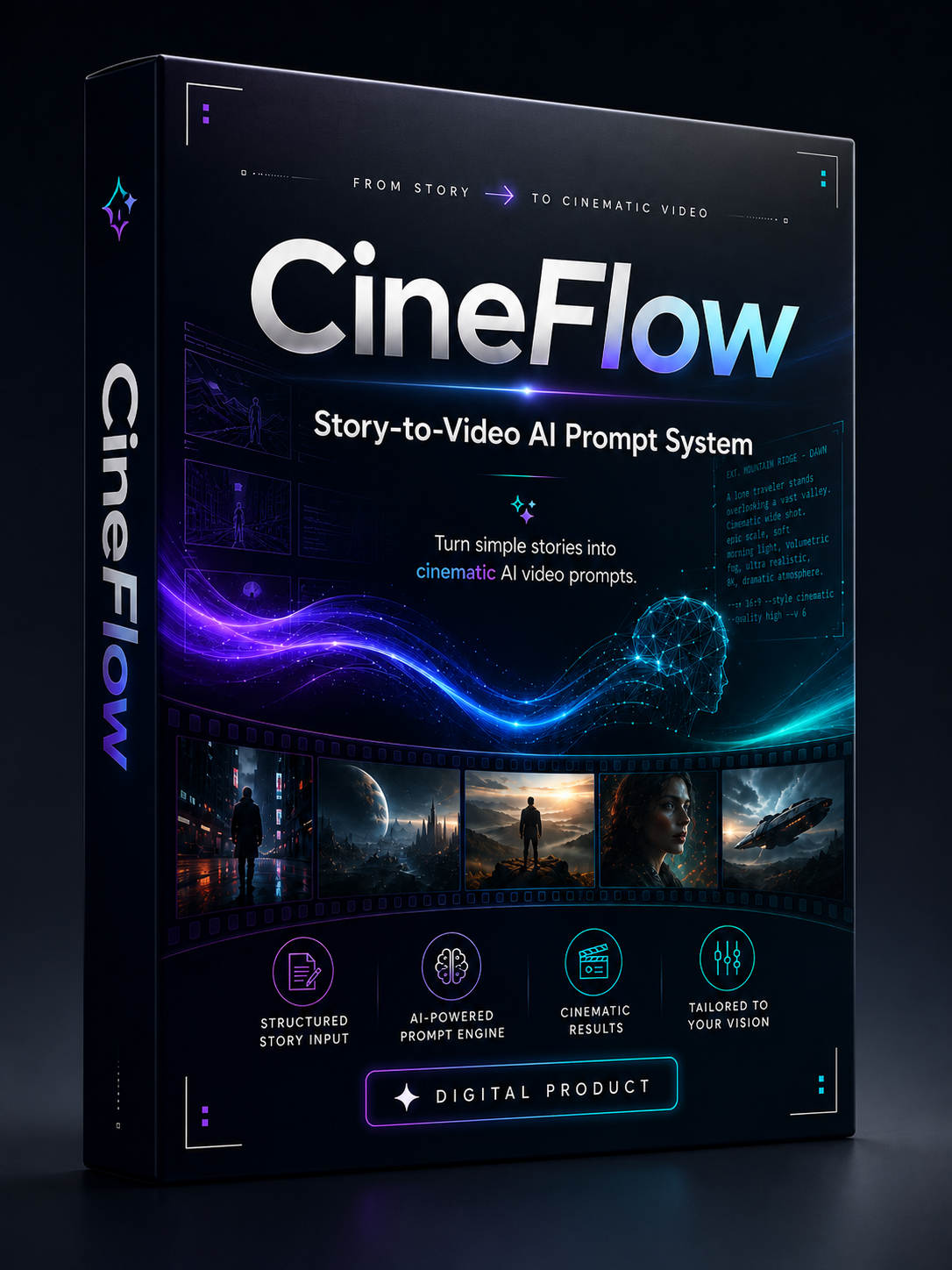
CineFlow — Story-to-Video AI Prompt System
PROMO PRICE IS ACTIVE
PRICE CHANGING BACK SOON TO ORIGINAL PRICE
IN 4DAYS
WHAT IS CINEFLOW AI
🎬 CineFlow AI is a story-to-video prompt system Powered by ChatGPT to help you turn simple story ideas into cinematic AI video prompts.
Instead of struggling to manually break your story into scenes, camera angles, characters, environments, and video prompts, CineFlow guides you through the process step by step.
It helps you create structured prompts for short stories, cinematic scenes, AI video tools, faceless videos, African story concepts, product storytelling, content ideas, and creative UGC ads.
1. What am I paying for?
You're paying for a system that removes the guesswork. Instead of spending hours learning prompting, scene planning, storyboarding, and video workflows, CineFlow helps you create professional AI storytelling workflow for your content much faster.
2. Is Cineflow a one-time payment?
Yes! pay once and its free forever.
3. Do I need another subscription before using it?
You need ChatGPT access to use CineFlow. Depending on the video Ai platform you choose, you may also need an account on that platform to generate the final videos.
4. Is CineFlow beginner-friendly?
Yes. It was designed for beginners and experienced creators alike. You don't need prompting skills, filmmaking knowledge, or video production experience to use it.
5. Can I use it for any type of story?
Absolutely. You can use CineFlow for African stories, cinematic short films, moral stories, animations, faceless content, YouTube Shorts, TikTok videos, and much more.
If your goal is to create high-quality AI storytelling videos without spending weeks learning complex tools, CineFlow was built to make that process simple and efficient.
6. What do I need to start using Cineflow?
Just paste your story and it prepares your story visual for you.
7. What else does Cineflow do?
Cineflow can be used to create easily workflow for ads videos. like UGC OR Hyper motion product ads.
WHAT YOU GET AFTER DOWNLOADING:
- A video guide on how to use Cineflow Ai.
- A link to Access Cineflow Ai.
- A sample video script from cineflow
- Cineflow samples AI storytelling
AFTER DOWNLOADING YOU WILL BE AUTOMATICALLY REDIRECTED
TO A TELEGRAM GROUP CONTAINING THE GUIDE AND LINK TO CINEFLOW.
Please make sure you download the telegram app in your device
VIDEO SAMPLE RESULTS
https://drive.google.com/drive/folders/1Jl7XFgDU6deLj2imqP9tA5MTd6rVQLyu?usp=drive_link
https://drive.google.com/drive/folders/1gpcODHedeu_c-vcH6rktkSSCO_vpQCE4?usp=drive_link
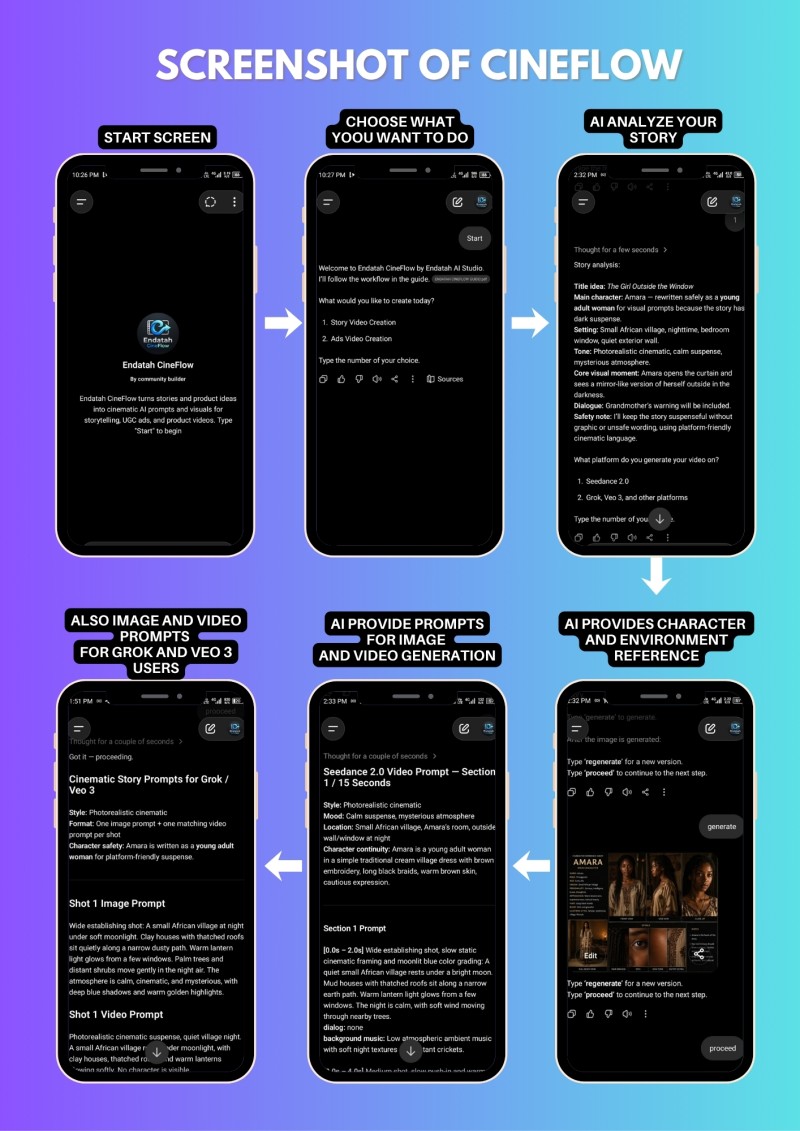
A STEP-BY-STEP SCREENSHOT OF WHAT YOU WILL GET:
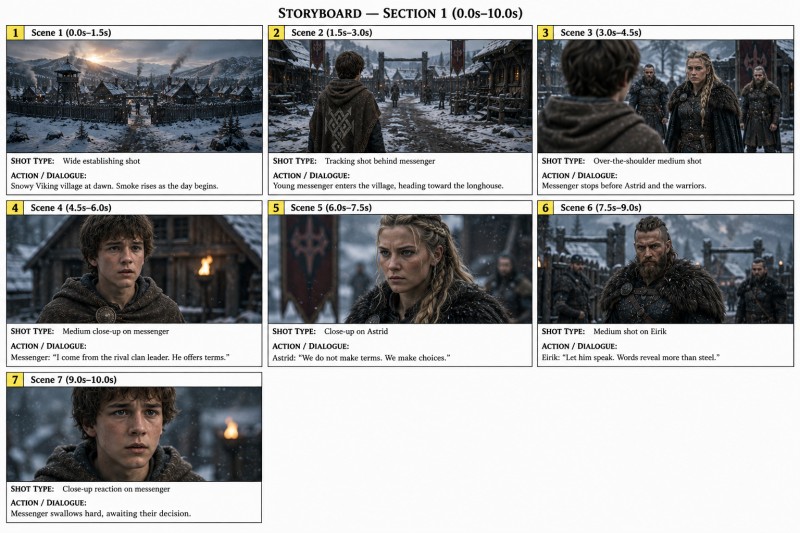
STORYBOARD REFERENCE SAMPLE:
A storyboard that will guide the video generator to provide the exact scene you need.
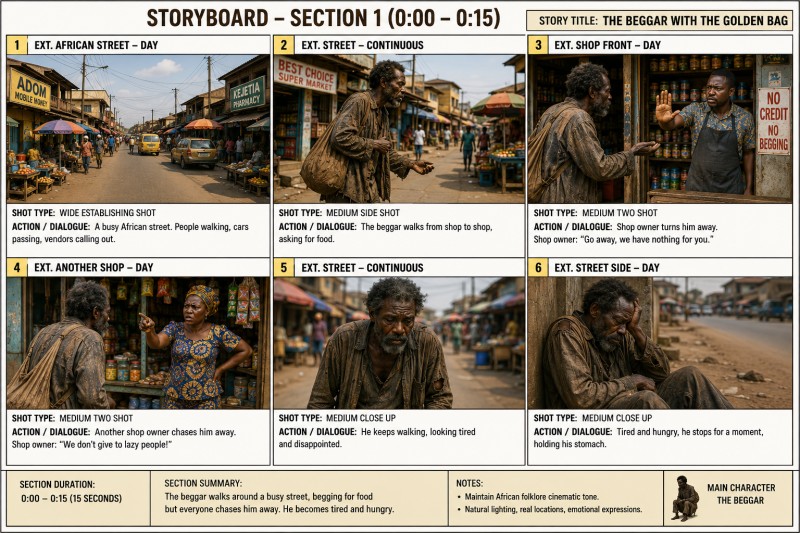
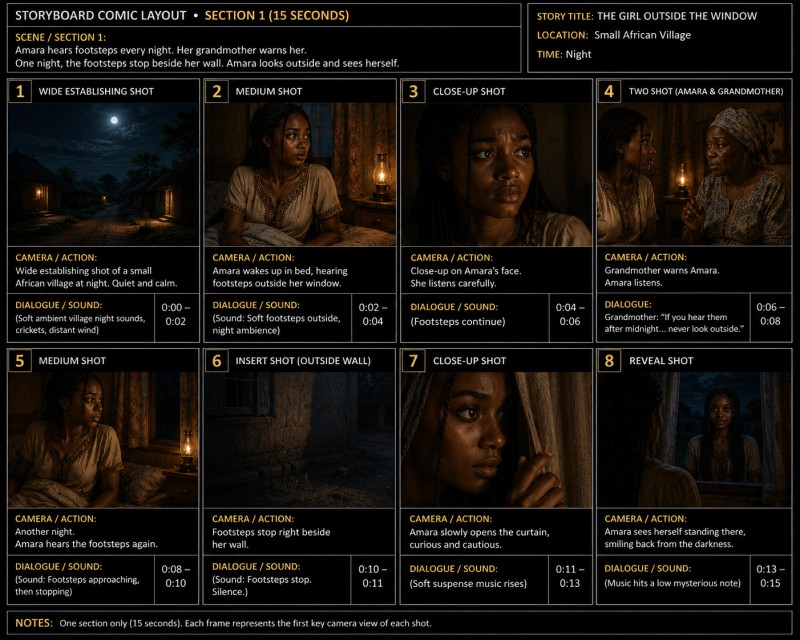
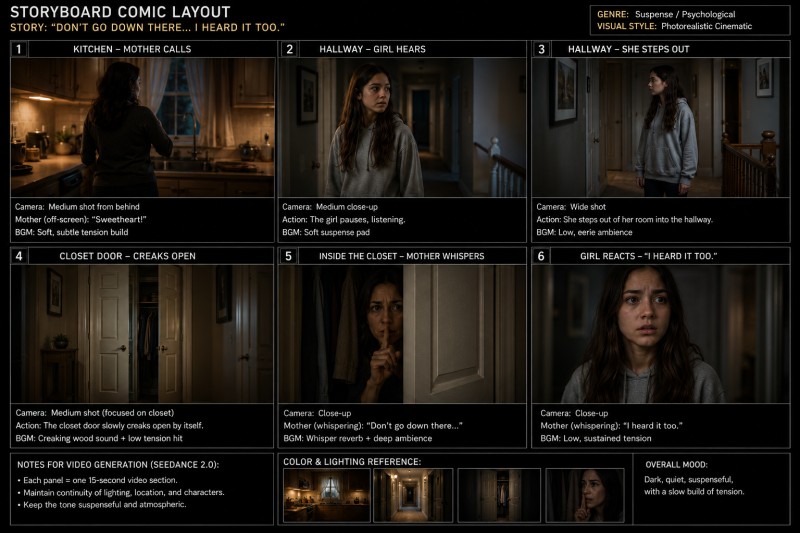
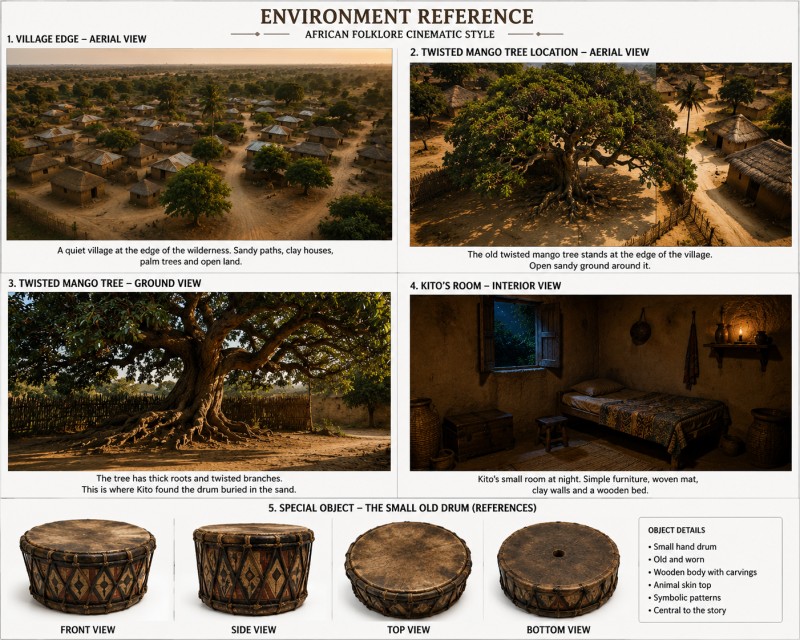
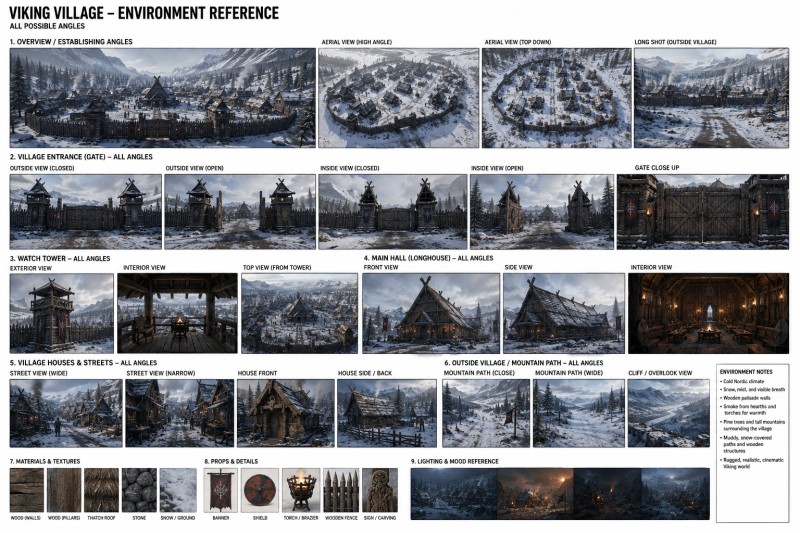
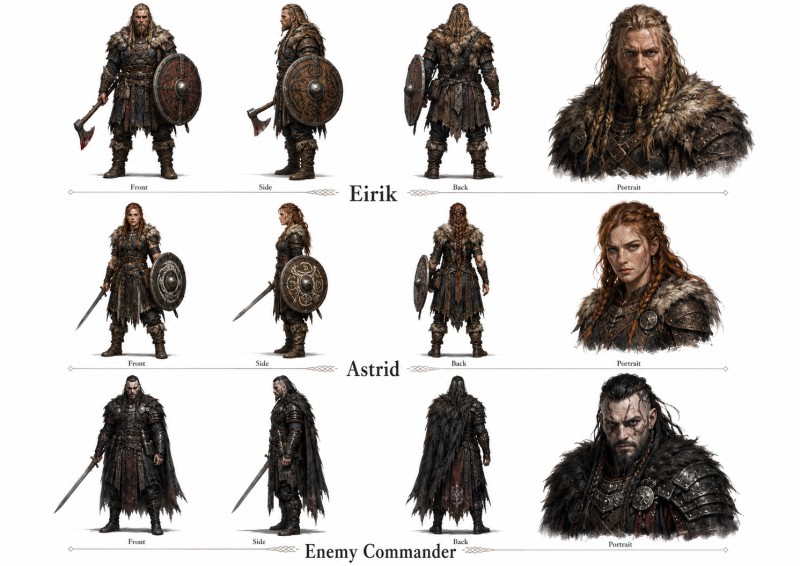
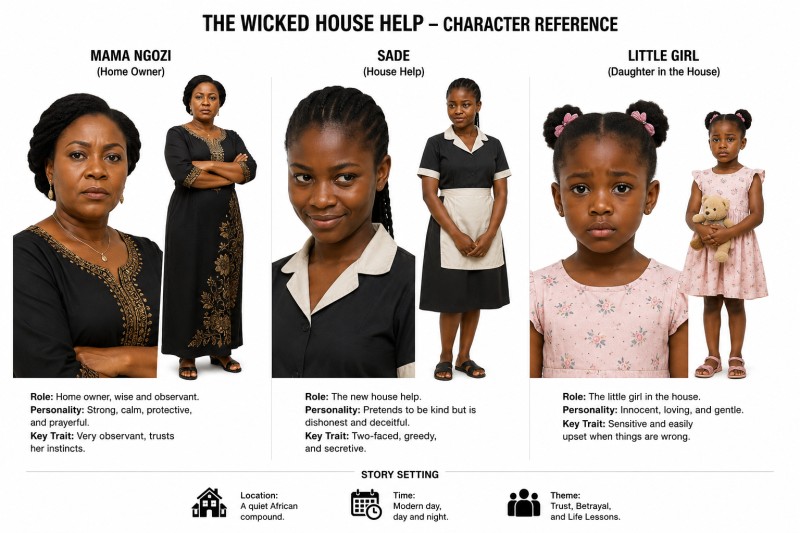
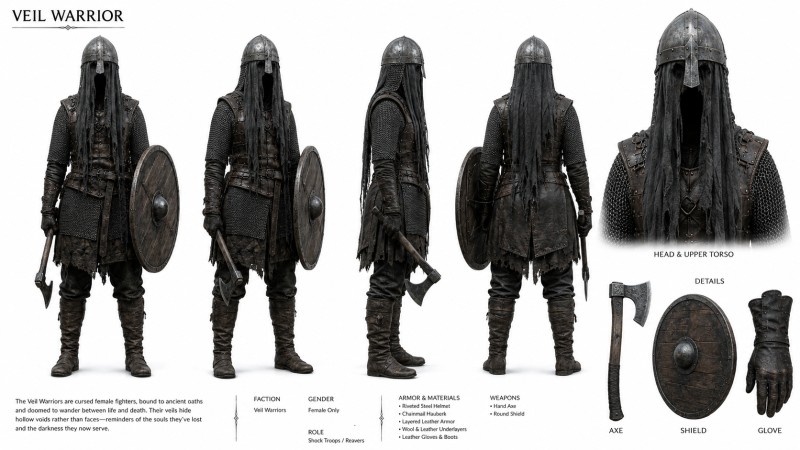
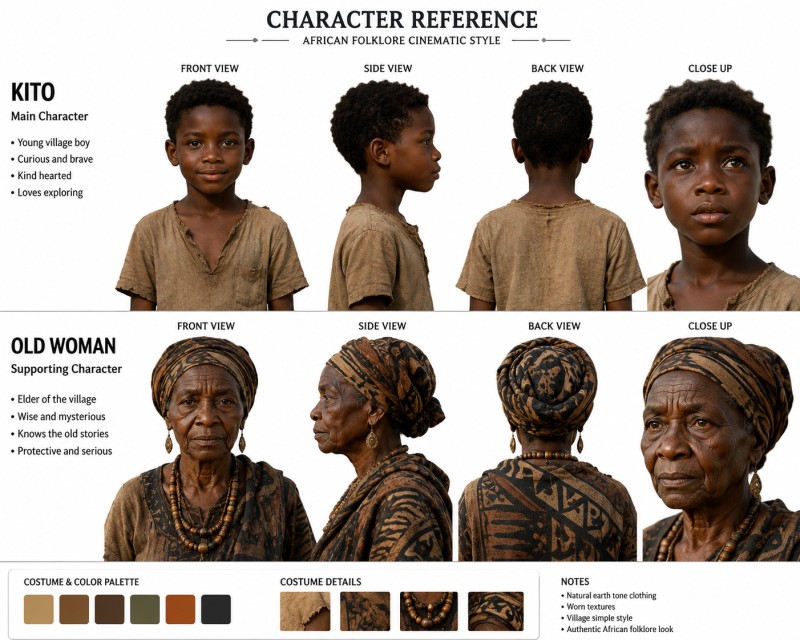
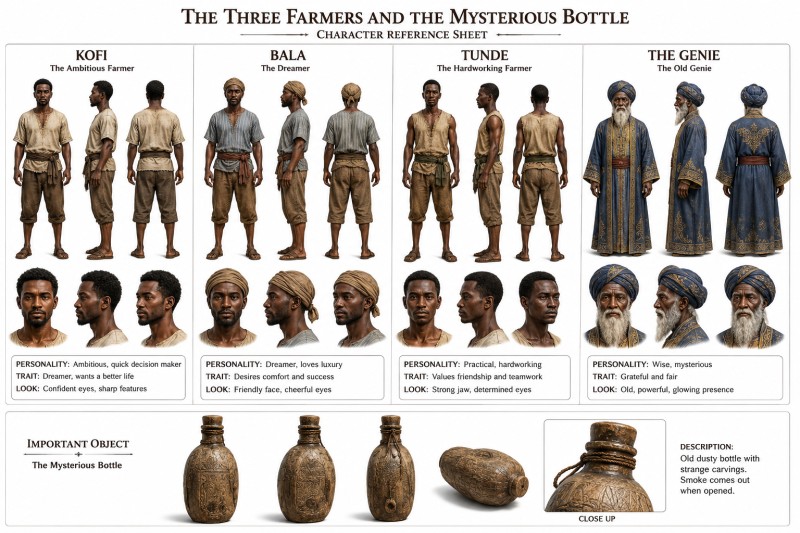
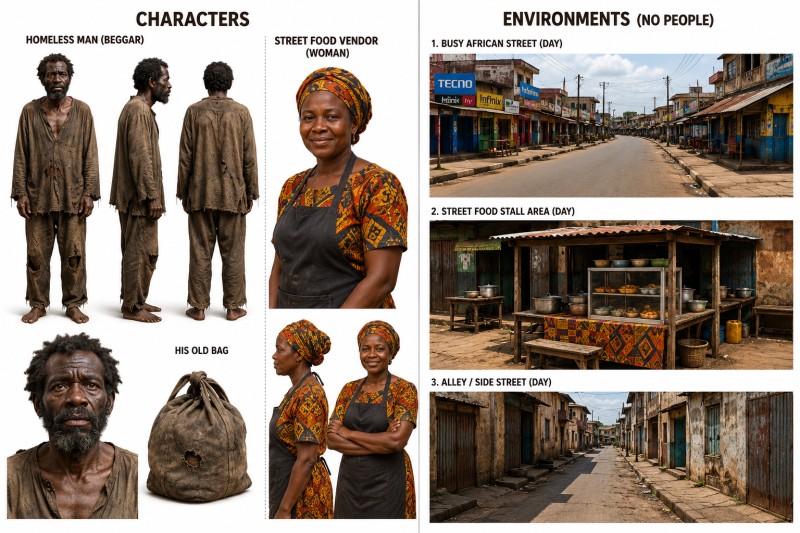
CHARACTER REFERENCE SAMPLE:
It provides character reference for consistent characters across your scene.
🎁 WHAT YOU GET:
✅ Access to the CineFlow AI prompt system.
✅ A guided story-to-video workflow.
✅ Scene-by-scene story breakdown.
✅ Timestamp-based video prompt structure.
✅ Character creation prompts.
✅ Environment reference prompts.
✅ Camera angle and shot direction prompts.
✅ Prompt structure for AI video tools.
✅ Beginner-friendly usage instructions.
✅ Creative prompt support for storytelling-style ads.
✅ Ad scene breakdown ideas for product videos, UGC-style videos, and short-form promotional content.
👥 WHO THIS IS FOR:
🎥 AI video creators.
📖 Storytellers.
📺 Faceless YouTube creators.
📱 TikTok/Reels content creators.
💻 Digital creators.
🧠 AI prompt sellers.
🛍️ Product sellers and online business owners.
🎯 Creators who want to make story-based ads, product videos, UGC-style videos, and promotional content.
🚀 Creators using tools like Higgsfield, Runway, Kling, Veo, Seedance, or similar AI video tools.
⚙️ HOW IT WORKS:
📝 You enter your story idea, product idea, or ad concept.
🧠 CineFlow helps analyze the idea.
🎞️ It breaks the story or ad concept into cinematic sections.
👤 It creates character and environment prompt ideas.
🎬 It gives you scene-by-scene video prompts.
📌 It helps structure camera angles, timestamps, and visual directions.
🚀 You can then use the prompts inside your preferred AI video tool.
📢 ADS & MARKETING USE:
CineFlow can also help you structure creative video ads for products, services, digital products, and storytelling-based promotions.
You can use it to turn a simple ad idea into a more visual scene-by-scene concept, including hooks, character actions, camera directions, product storytelling, and short-form video scenes.
This is useful for creating:
✅ UGC-style video ad concepts.
✅ Product storytelling ads.
✅ Short Facebook ad video ideas.
✅ TikTok and Instagram Reels ad concepts.
✅ Product demo scene ideas.
✅ Before-and-after style creative concepts.
✅ Attention-grabbing opening scenes.
✅ Visual prompts for promotional videos.
Whether you are promoting a digital product, physical product, AI tool, online store, or creative offer, CineFlow can help you organize the idea into a clearer video prompt structure.
⚠️ IMPORTANT NOTE:
CineFlow does not generate the final video by itself. It helps you create structured cinematic prompts that you can use with AI video generation tools.
For ads, CineFlow helps with creative structure, scene ideas, prompt direction, and visual planning. You will still need an AI video tool or editing tool to create the final video.
📦 AFTER PURCHASE:
You will receive access instructions and a simple guide on how to start using CineFlow.